

Use this route for sites in the newer SMA EnnexOS portal. You need permission to manage users; ask your installer to grant Administrator access and Owner rights if User Administration is unavailable.
Sign in to SMA EnnexOS and select the inverter/site you want to connect.
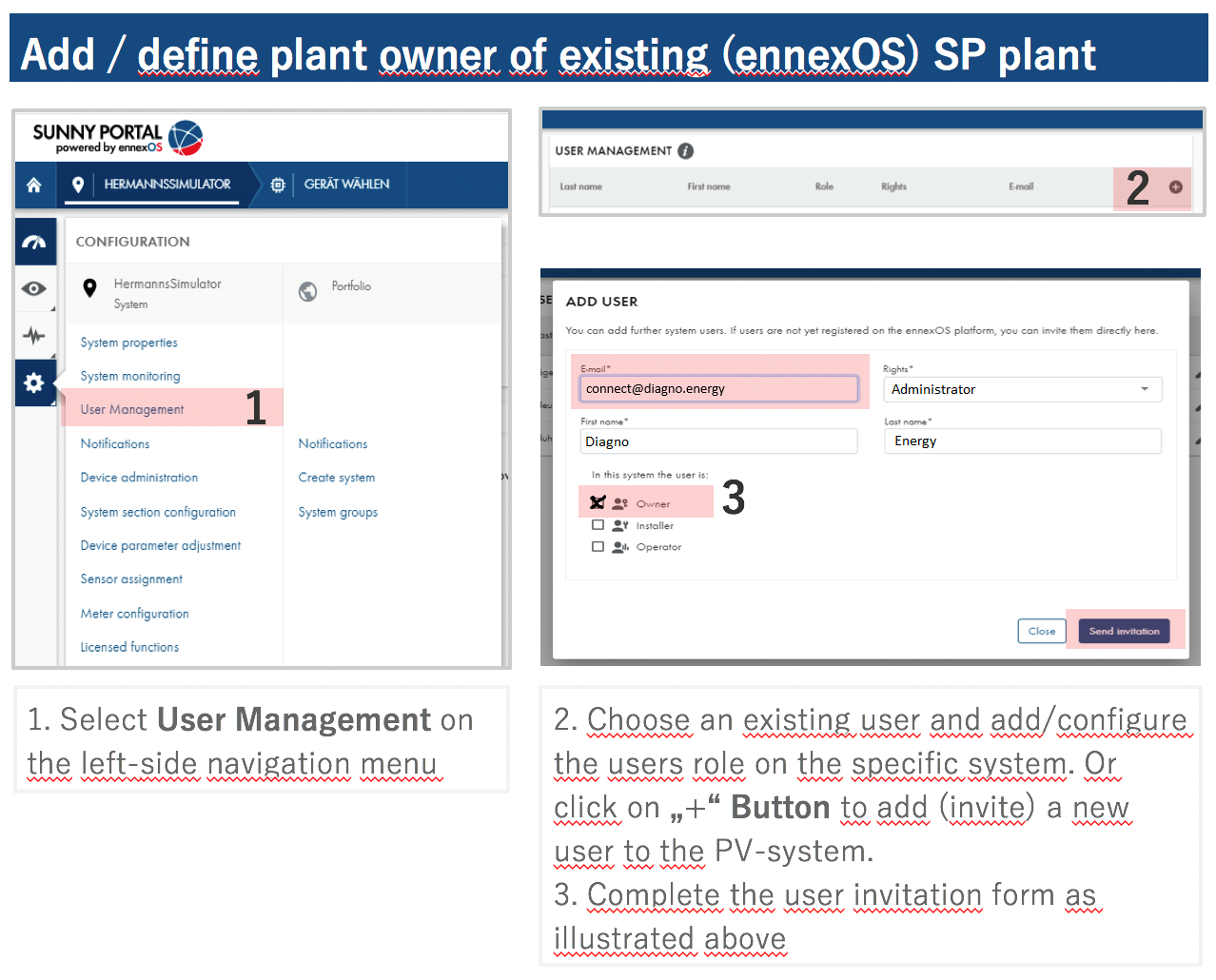
Choose Configuration in the left menu, then User Administration or User Management. Select the control to add a new user.
Enter connect@diagno.energy, set the right to Administrator, enter first name Diagno and last name Energy, then send the invitation.
Return to the site dashboard and copy its full URL from your browser address bar.
In Diagno, open Sites and select + Self-Onboard. In the Self-Onboarding flow, choose SMA as the data source and EnnexOS as the portal. Enter the full site URL and either the exact plant name or one inverter serial number.
Continue through the site confirmation steps in Diagno to add the matching site.
Use this route for sites in the older SMA Sunny Portal. You need permission to manage users; ask your installer for Administrator access and Owner rights if User Management is unavailable.
Sign in to SMA Sunny Portal and select the plant you want to connect.
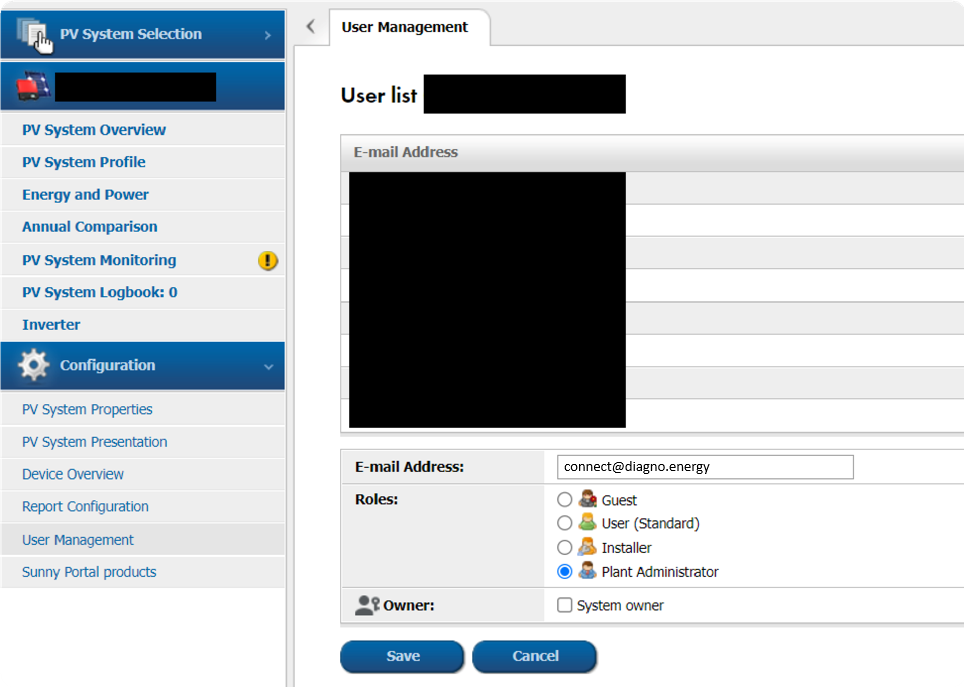
Choose Configuration in the left menu, then User Management or User Administration. Select Add a new user.
Enter connect@diagno.energy, assign the Plant Administrator role and save.
Copy the site name exactly as it appears in Sunny Portal and one device serial number.
In Diagno, open Sites and select + Self-Onboard. In the Self-Onboarding flow, choose SMA as the data source and Sunny Portal as the portal. Enter the exact site name and the device serial number.
Continue through the site confirmation steps in Diagno to add the matching site.